
Mozilla has updated its Firefox Beta channel to version Firefox
Beta 29 for
Windows, Mac, Linux, and Android with new Accounts and
Sync- similar
to rival Google Chrome

First and foremost,
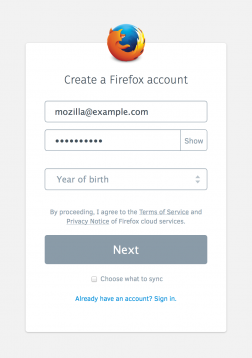
you can try the new Firefox Sync by simply creating an account. According to
Mozilla, the overhaul feature “makes it even easier to setup and add multiple
devices.”

Firefox Accounts,
which is part of Firefox OS as well, lets users keep track of their login
credentials for various services, their bookmarks, history, and any open tabs
and allows more secure access.

More specifically,
Mozilla underlines three improvements:
·
Client side key stretching: a technique that protects against
man-in-the-middle attacks, even when SSL credentials are compromised.
·
End-to-end encryption: even if Mozilla’s servers are
compromised, it is extremely difficult to access a user’s data.
·
Public key cryptography and the BrowserID protocol: Separation
between authentication, authorization, and data storage servers to minimize the
number of servers that handle authentication material, and thus reducing our
attack surface.
New upgrades will
extend to on-the-go users, who can now customize the swipeable History, Top
Sites, Bookmarks, and Reading List home screen pages and choose one to make
your mobile default.
Default page will appear automatically when opening a new
tab or starting a new session, so you can get to your favorite sites faster. Similarly
pages can also hide- they don't use regularly, or bury them completely for a
cleaner look.
Firefox Beta 29 made everything more enjoyable and easier
to use, like simplified bookmarks that are now easy to create and manage with a
single click.
Firefox Version 29 is available now to download on
the Web; Firefox for
Android is also available for free download in the Google Play store.
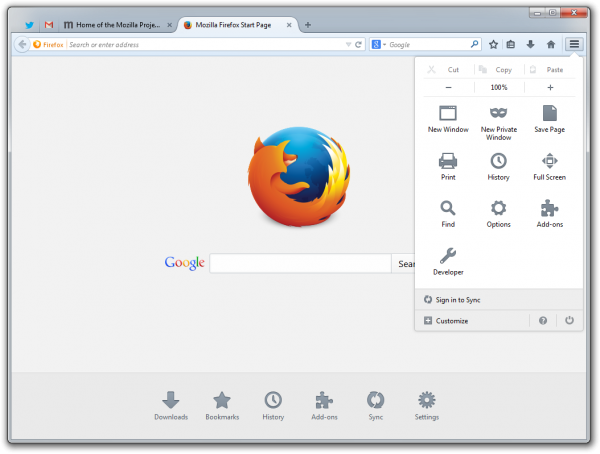
For desktop users, there’s a new customization mode: just click
the new Menu button and hit Customize. This allows manually dragging and
dropping features, add-ons, or tools anywhere in the browser.

New menu panel includes all of your browser controls, features,
and add-ons in one place. You can find familiar tools like copy/paste, print,
full page, save, and so on, but there’s also a permanent section for Firefox
add-ons, so this is where you can find them all after the download is complete.
For Android users, the new customization mode doesn’t impact
Firefox for Android, the aforementioned Sync tool does. Aside from that, there
are some Bing improvements, new quick share buttons, and a few more languages.

It is here for
information that Firefox 30 is schedule for a June release.


No comments:
Post a Comment